Why Add a Client for Distribution?
By adding a Client, you can grant an external contact secure access to the parts of the project needed to work on mailings. You choose which tabs the Client has access to. This makes it easy to let a customer or contact collaborate without granting full user permissions.
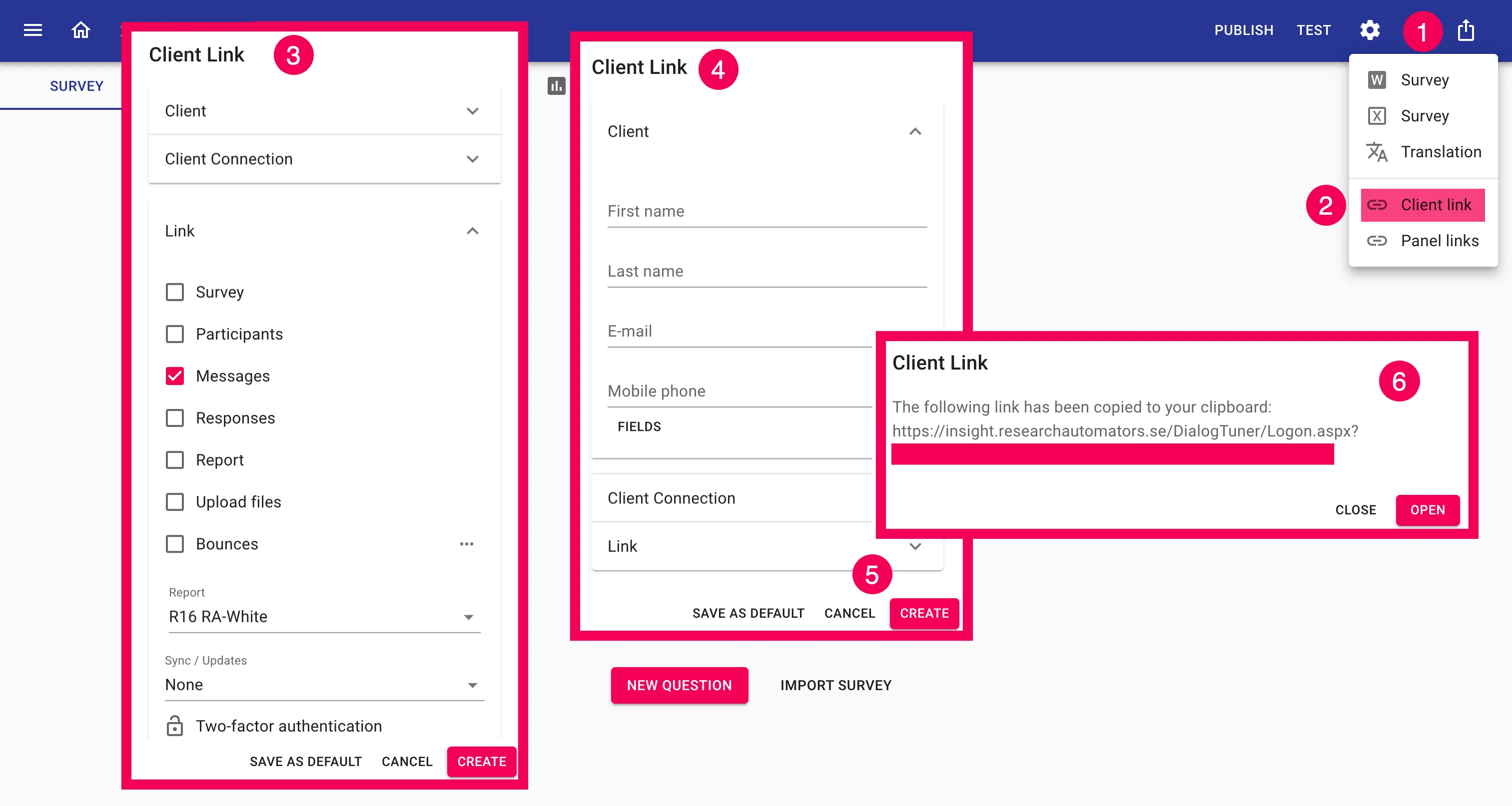
Here’s how to do it step by step
- Open your project and click Export in the upper-right corner.
- Select “Client link.”
- Check the Messages box → click Client above.
- Enter the client’s name and email address.
- Click Create.
- Copy the link from the window that appeared; that’s the URL you’ll share with the client.