How to Create Crosstabs
When creating a Dashboard Report, multiple crosstabs are automatically generated through our Rule-Based Report system.
A standard crosstab is created by default, and additional ones are generated based on the number of breakdown variables you have added to the Visual comparison section.
This automation ensures that all relevant comparisons are included without having to manually create each crosstab.
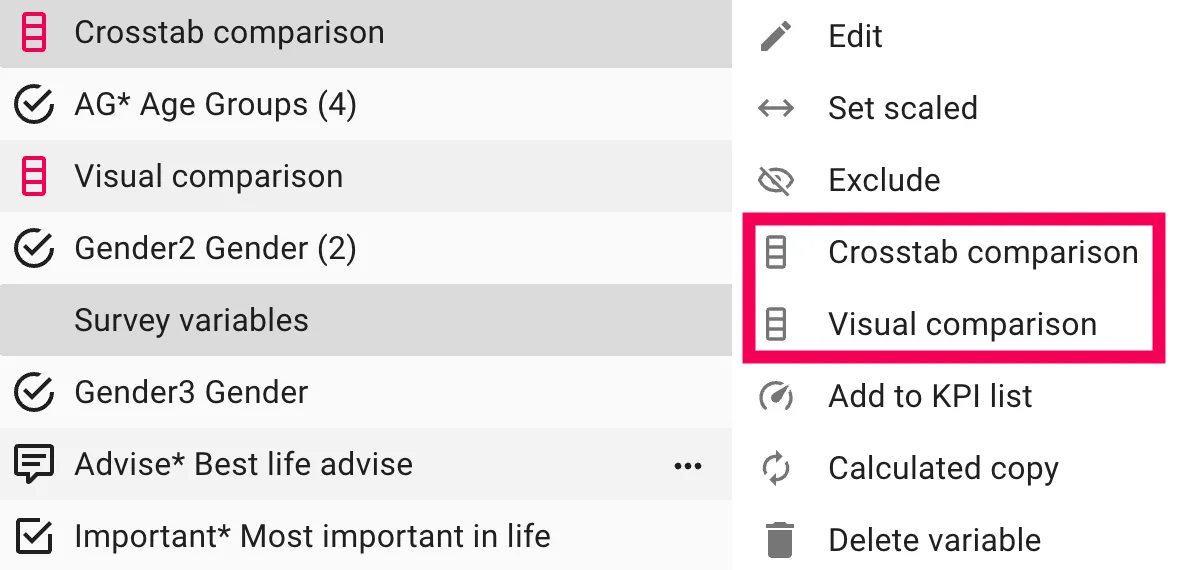
To add a variable to compare with in the Dashboard, click on the Edit-button in the bottom-right corner to open up the list. Then click on the 3-dots next to the variable and choose Crosstab Comparison or Visual Comparison.
Crosstabs in the Report Page
Creating or customizing a crosstab directly in the Report page is simple and flexible.
1. Switch the Presentation Type
To start, open your Report-page and switch the presentation to Table view:
- Locate the Presentation Type icon in the top-left corner of the toolbar.
- Click the icon and select Table from the list of available presentation options.
This changes the visualization from a chart or bars view to a crosstab-style data table presentation.
2. Adjust Datatype and Base
Under the Datatype dropdown, you can select how the data should be displayed:
- Percent positive
- Average
- Frequency - percentage
- And much more.
3. Add or Modify Breakdown Variables
To define what your crosstab compares, you can make sure that the Crosstab Comparison or Visual Comparison options are selected.
These Auto Variables will automatically make comparisons in your crosstab based on what variables you have added to the comparison list. This can for example be: Gender, age groups or time periods
If you only wish to use specific breakdowns to create comparisons with, you can select those instead of the Auto Variables as well.
Example Setup
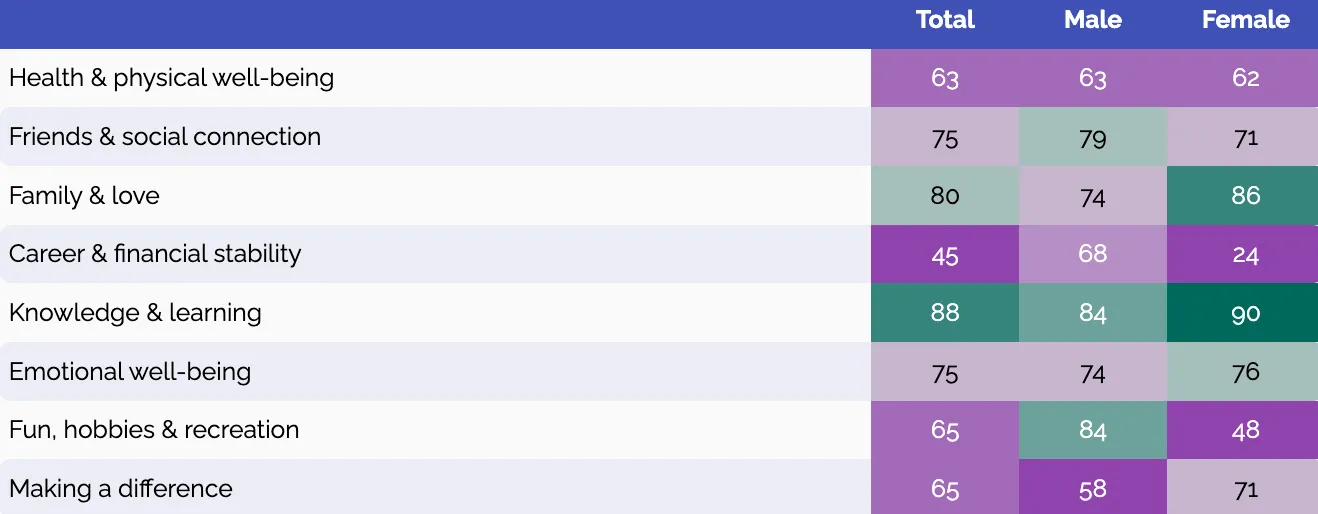
In this example:
- Question is: Scaled Grid Questions 2+ Answers
- Datatype: Percent Positive
- Crosstab Comparison: Gender
In this example:
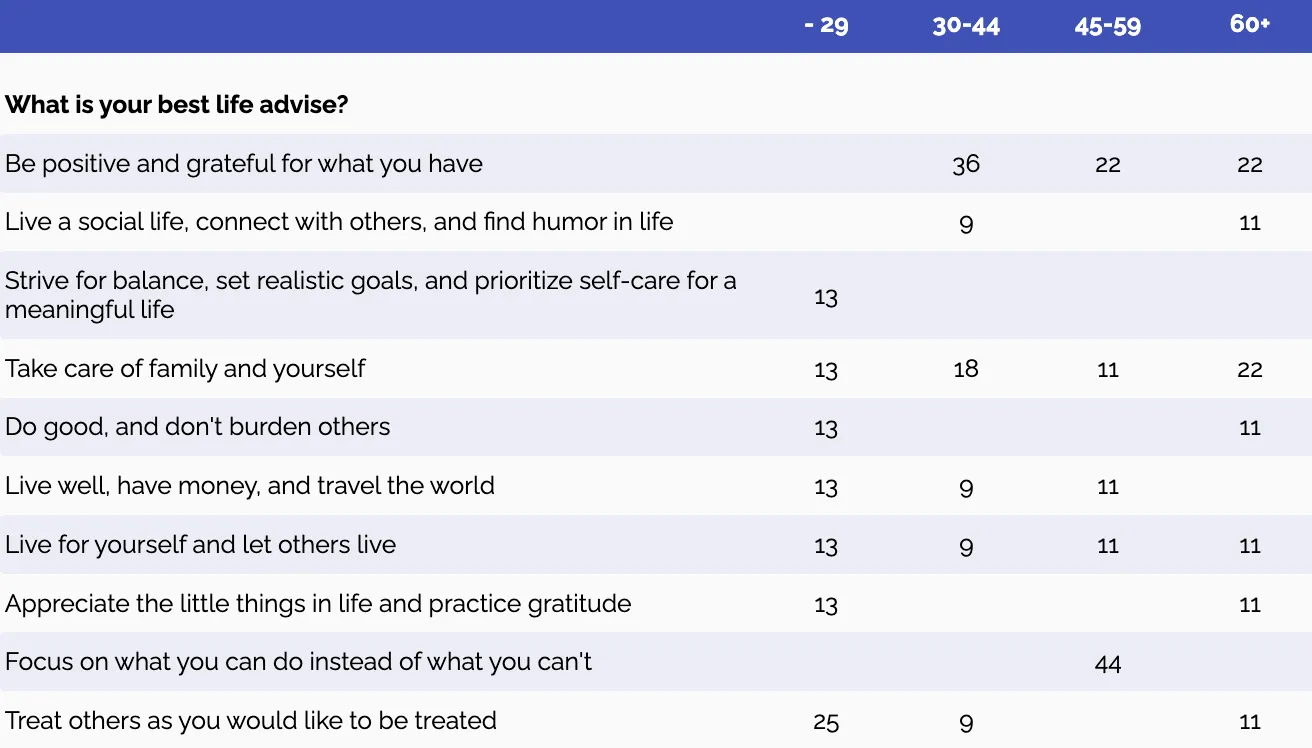
- Question is: Calculated Open ends
- Datatype: Open ends sum
- Crosstab Comparison: Age groups